FOR DRUPAL 11 AND DRUPAL CANVAS
The Drupal theme built for where Drupal is going.
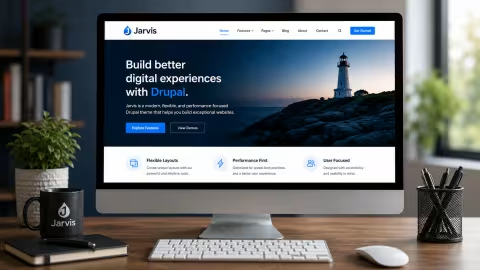
Jarvis gives site builders 24 drag-and-drop components for Drupal Canvas, with accessibility checks built into every one. Build ambitious sites without custom code, and without accessibility debt.
Drupal is changing. Your theme should too.
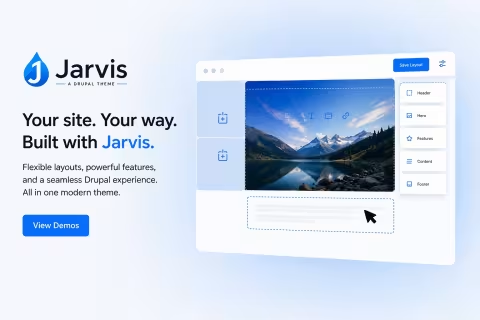
Drupal is moving to visual page building. Drupal Canvas is the new drag-and-drop page builder, Single Directory Components are part of core, and the Drupal AI initiative is bringing AI into everyday site building.
Most themes were designed for the old way and bolted on later. Jarvis was built for Canvas from the first line:
- Every component is a Single Directory Component, defined once and identical wherever it is placed.
- Layouts are components too. One, two, three and four columns, custom widths, backgrounds and overlays, all set in Canvas.
- Content templates are designed in Canvas. Blog posts, pages, cards and teasers, no Twig required.
- Built on Bootstrap 5, styled through theme settings, so your brand carries across every component.
Accessibility isn't an audit. It's built in.
Most sites find out about accessibility problems after launch. Jarvis stops them while you build:
- Automatic contrast. Put text over a photo and Jarvis checks the image, then darkens the overlay until the text passes WCAG AA.
- The right heading levels. Cards, heroes and sections let you choose the level, so the page outline never skips.
- Keyboard-friendly menus that mark the page you are on, plus visible focus everywhere.
- Captions and reduced motion. Videos take caption files, and animation turns off for visitors who ask their device to reduce motion.
- An accessibility checker for editors. Editoria11y flags missing alt text, skipped headings and vague links as content is written.
The stakes are real
Under the new ADA Title II rule, state and local government websites must meet WCAG 2.1 AA. In Europe, the European Accessibility Act now applies to many private-sector sites too.
Read our plain-English summary of the new federal accessibility rules (PDF)
Everything a site builder needs
A complete site, not just a look. Jarvis ships the pieces most themes leave to you.
Your brand in minutes
Set your colors, Google Fonts and type sizes in the theme settings. Fonts are downloaded and served from your own site.
Listings that look designed
Card and Teaser view modes for every content type, a blog grid with paging, and boxed layouts for every View.
Forms that match
Webforms, buttons and fields are styled to your brand, with spam protection set up for you.
AI ready
Canvas AI agents, AI help in the editor and automatic image alt text are installed and configured. Add your own API keys and go.
Sharing and SEO
A built-in Share component, plus meta tags, Open Graph and social cards configured from day one.
Editorial workflow
Drafts, reviews and publishing states, a media library with focal-point cropping, and a clean admin experience.
Starting a new site?
The Jarvis recipe turns a blank Drupal 11 install into a complete site: theme, Canvas, content types, forms, workflow, SEO, the AI stack and demo content to learn from.
composer require imrodmartin/jarvis-recipeAdding Jarvis to a site you have?
The Jarvis install recipe adds the theme and its Canvas components alongside your own content and configuration. It does not change your default theme, front page or content.
composer require imrodmartin/jarvis-install-recipeQuestions site builders ask
The Jarvis Handbook
The free guide for site builders and content editors: build pages in Canvas, publish posts, set your brand and keep it accessible. No code.
View the Handbook or download the PDF below.
Developer? Read The Jarvis Technical Guide (PDF).
Want help building with Jarvis?
Rod Martin has taught more than 50,000 people to build with Drupal. Get training for your team, ongoing support, or a site built with you.
Ready when you are
Build your next Drupal site with Jarvis
Explore the live demo, then install Jarvis free from GitHub.